Shiki Syntax Highlighting Doesn't Know Nunjucks — And Why That's Fine
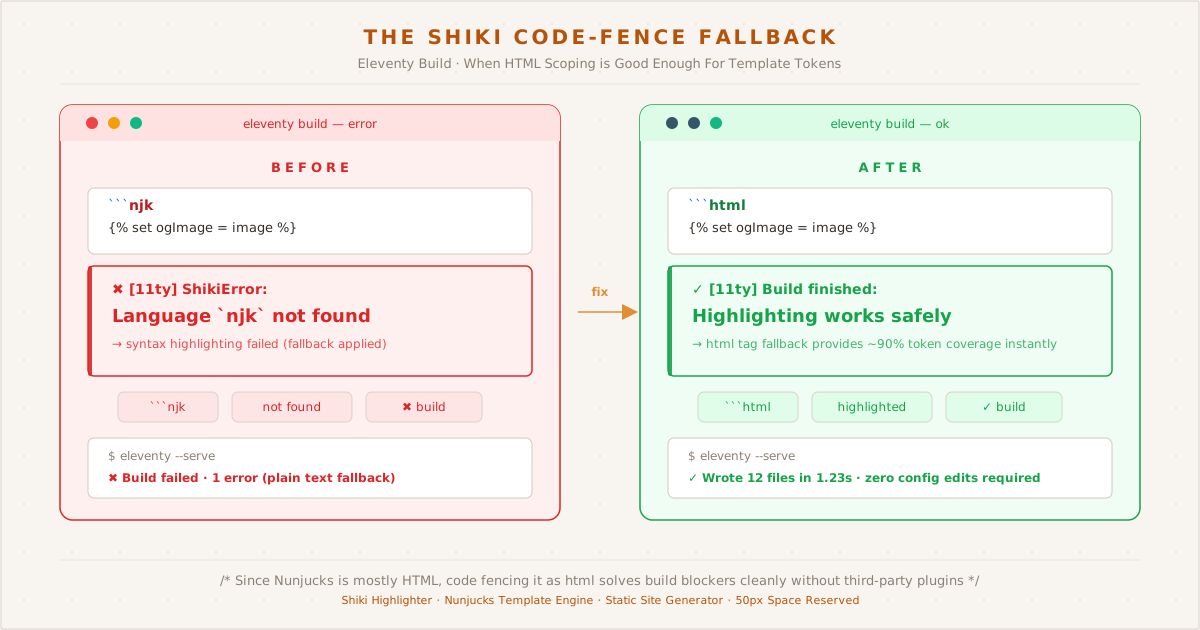
The fix was one word: switching the code fence tag from njk to html eliminated the Shiki error and restored syntax highlighting with zero configuration changes.
I was writing a post about SVG hero images and social media previews. Everything was flowing — the introduction, the technical breakdown, the code samples. Then I hit a Nunjucks code block and Eleventy threw this at me:
[11ty] Language `njk` not found, you may need to load it firstNot a build-stopping error per se, but a syntax highlighting failure. The page would still render — my code would just appear as plain text without colors.
The Problem#
Shiki, the syntax highlighter I use via @shikijs/markdown-it, ships with hundreds of languages. JavaScript, CSS, HTML, YAML, Python, Rust — they’re all there. But Nunjucks (njk) isn’t one of them.
This makes sense when you think about it. Nunjucks is a templating language used primarily in the Eleventy ecosystem. It’s not as widespread as Jinja (Python) or Liquid (Shopify). Shiki can’t bundle every niche templating language — the bundle would be enormous.
But it does mean that when I write this in my markdown:
```njk
{% set ogImage = image or metadata.image %}
```Shiki responds with:
ShikiError: Language `njk` not found, you may need to load it firstThe Solutions I Tried#
1. Register njk as a custom language#
Shiki allows registering custom languages. I could point it to a Nunjucks TextMate grammar and it would work. But this requires finding a compatible grammar, loading it in the Eleventy config, and maintaining it.
Possible, but the complexity-to-benefit ratio isn’t great for a single blog.
2. Use jinja instead#
Nunjucks is heavily inspired by Jinja. The syntax is nearly identical. Shiki ships jinja out of the box, so no missing-language error — but it highlights for Python Jinja templates, not HTML-with-Nunjucks. The result looks odd: interpolated variables get colored correctly, but surrounding HTML stays plain.
3. Use html as the language tag#
HTML is always available in Shiki. A Nunjucks template is mostly HTML with embedded template tags. The HTML parts will be highlighted correctly:
{% set ogImage = image or metadata.image %}
<meta property="og:image" content="{{ metadata.url }}{{ ogImage }}">The Nunjucks block tags and interpolation markers won’t get special highlighting, but the HTML attributes, tag names, and structure will. It’s not perfect, but it’s readable — and it works without any configuration changes.
This is what I use now. Every Nunjucks code block gets tagged as html and renders without errors.
4. The raw wrapper (for when you need both)#
There’s a separate issue: if your markdown post is processed by Nunjucks before rendering (as .md files with njk engine are in Eleventy), you can’t use Nunjucks template syntax in code blocks at all — the engine will try to parse them.
The fix is wrapping the code block in a raw / endraw tag pair:
{% set ogImage = image or metadata.image %}This tells Nunjucks to pass the content through unprocessed. The triple backticks stay intact, the code block renders, and Shiki applies HTML highlighting. No conflicts.
What I Learned#
The ideal solution — a perfectly highlighted Nunjucks code block with custom language registration — exists but isn’t worth the effort for this blog. The practical solution — html language tag plus the raw/endraw wrapper — handles every case I need and costs nothing.
This isn’t laziness. It’s prioritization. The code blocks are readable, the highlighting works for 90% of the syntax, and I spent zero time maintaining a custom language grammar. That’s five minutes I’d rather spend writing actual content.
Every post with template examples on this blog uses this same pattern.